
Alphabetical order sorter
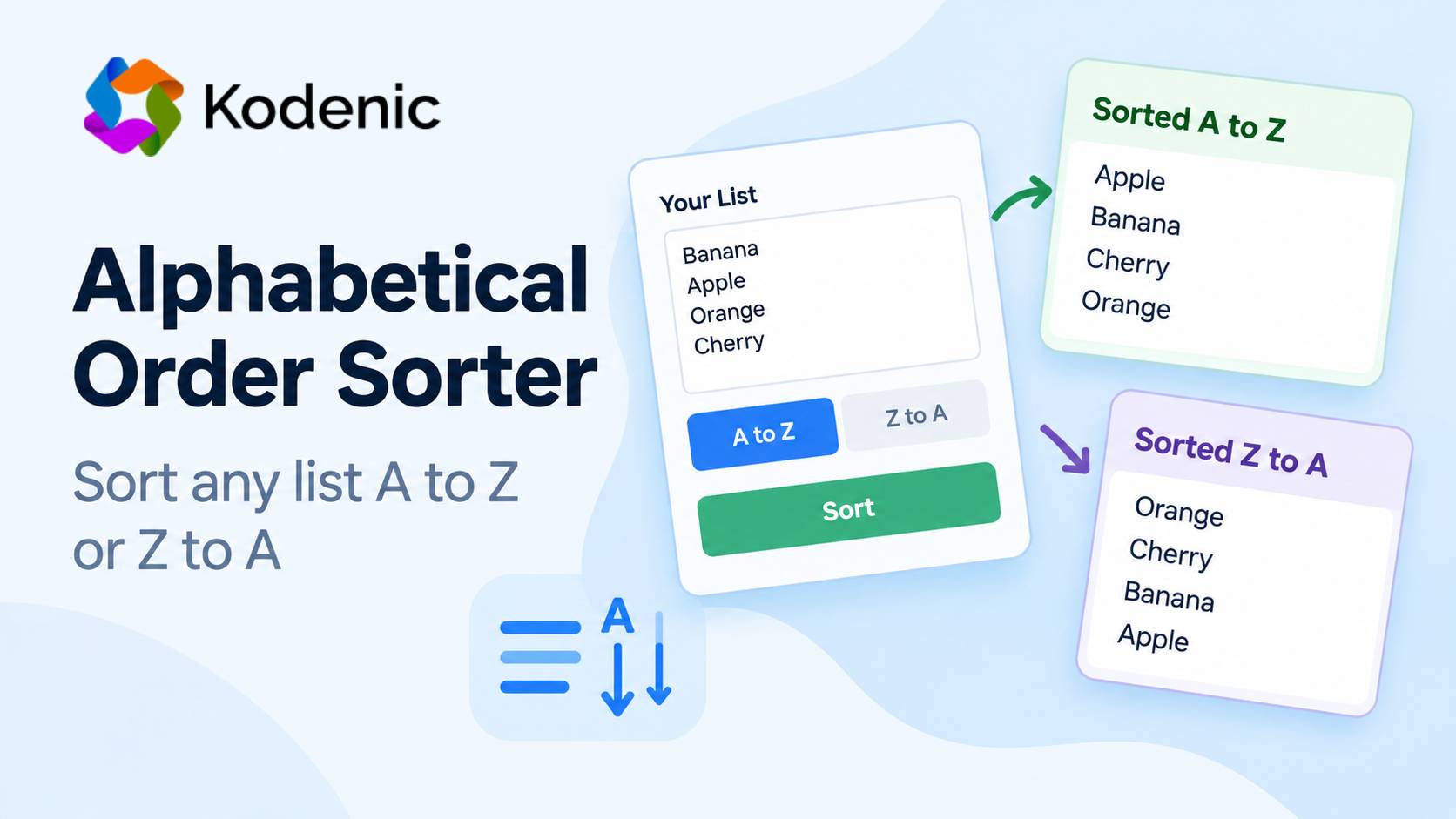
Online Alphabetical Order Sorter: Sort Any List A to Z or Z to A
Putting a short list in alphabetical order is easy. But when you have dozens or hundreds of names, words, keywords, products, or other entries, doing it manually can take unnecessary time.
The Kodenic Alphabetical Order Sorter helps you organize a list quickly. Enter or paste your text, choose A to Z or Z to A, and the tool generates the sorted list for you.
What Is an Alphabetical Order Sorter?
An alphabetical order sorter is an online tool that rearranges text entries into alphabetical order.
For example, if your list is:
Banana
Apple
Orange
Cherry
Sorting it from A to Z produces:
Apple
Banana
Cherry
Orange
You can also use reverse alphabetical order to arrange the same entries from Z to A.
How to Use the Kodenic Alphabetical Order Sorter
Using the tool is simple:
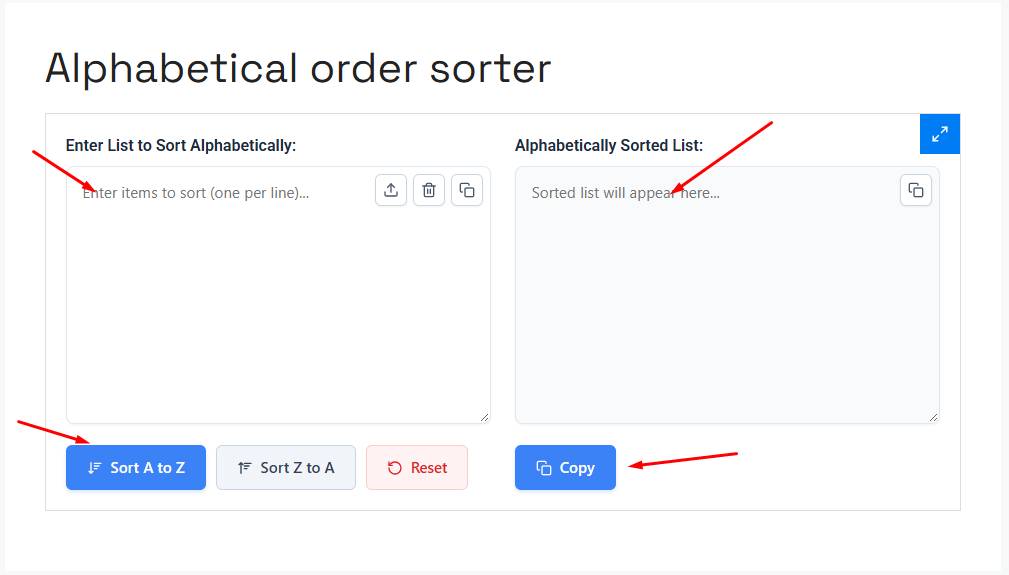
- Enter or paste your list into the input area.
- Select Sort A to Z for normal alphabetical order.
- Select Sort Z to A for reverse alphabetical order.
- Review the sorted result.
- Click Copy to copy the result.
- Use Reset when you want to start with another list.
This is particularly useful when you have a long list that would be tedious to organize manually.
What Can You Sort Alphabetically?
An alphabetical sorter can be useful for many different types of text, including:
- Names
- Words
- Cities
- Countries
- Products
- Keywords
- Categories
- Topics
- Book titles
- Vocabulary
- General lists
For example, you can turn:
Mango
Apple
Grapes
Banana
Orange
into:
Apple
Banana
Grapes
Mango
Orange
A to Z vs. Z to A
The Kodenic sorter provides two sorting directions:
| Option | Meaning |
|---|---|
| A to Z | Normal alphabetical order |
| Z to A | Reverse alphabetical order |
A-to-Z sorting is commonly used for directories, word lists, indexes, categories, and reference lists. Z-to-A sorting is useful when you specifically need the reverse order.
How to Alphabetize Names
Names can require a little extra attention.
Suppose your list contains:
John Smith
Alice Brown
David Carter
A normal alphabetical sort works from the beginning of each entry, so the result is based on the first name:
Alice Brown
David Carter
John Smith
If you want to sort people by surname, place the surname first:
Smith, John
Brown, Alice
Carter, David
An A-to-Z sort can then arrange the entries by surname:
Brown, Alice
Carter, David
Smith, John
The sorter works with the text you provide, so formatting your list correctly is important when you have a specific sorting requirement.
Alphabetical Sorting Is Not the Same as Numerical Sorting
Be careful when your list contains numbers.
Alphabetical or text sorting and numerical sorting are different operations. For example:
Item 1
Item 10
Item 2
may not appear in the numerical sequence you expect when the entries are treated as text.
If the numbers represent an actual sequence, use a numerical sorting method when appropriate.
What About Duplicate Entries?
Sorting a list and removing duplicates are separate tasks.
For example:
Apple
Banana
Apple
Orange
Sorting organizes the entries, but you shouldn’t assume that repeated entries will automatically be removed.
If you need a unique list, check the sorted result and remove duplicates separately.
When Is an Alphabetical Sorter Useful?
An online alphabetical sorter can save time whenever you’re working with a long or frequently changing list.
Common uses include:
- Organizing names
- Preparing vocabulary lists
- Arranging keywords
- Cleaning up copied text
- Organizing product lists
- Sorting categories
- Preparing reference material
- Creating alphabetical directories
For a few entries, manual sorting may be quick enough. As the list grows, an automatic sorter becomes much more convenient.
Frequently Asked Questions
How do I put a list in alphabetical order?
Paste your list into the Kodenic Alphabetical Order Sorter and select Sort A to Z. The tool will arrange the entries alphabetically.
Can I sort a list from Z to A?
Yes. Select Sort Z to A to arrange your list in reverse alphabetical order.
Can I alphabetize names?
Yes. You can use the sorter for a list of names. If you need to sort by surname, put the surname at the beginning of each entry.
Can I alphabetize words?
Yes. Enter your words into the sorter and choose the A-to-Z option.
Can I copy the sorted list?
Yes. The Kodenic Alphabetical Order Sorter includes a Copy option for the sorted result.
Does alphabetical sorting remove duplicates?
Sorting and duplicate removal are different operations. If duplicate entries matter, review the sorted list and remove repeated items separately.
Is alphabetical order the same as numerical order?
No. Alphabetical/text sorting and numerical sorting use different ordering principles. If your list contains numbers, make sure you’re using the type of sorting you actually need.
Start Sorting Your List
If you have a list that needs to be organized alphabetically, the Kodenic Alphabetical Order Sorter gives you a quick way to arrange it from A to Z or Z to A.
Paste your list, choose the sorting direction, review the result, and copy the organized list wherever you need it.