
Barcode Generator
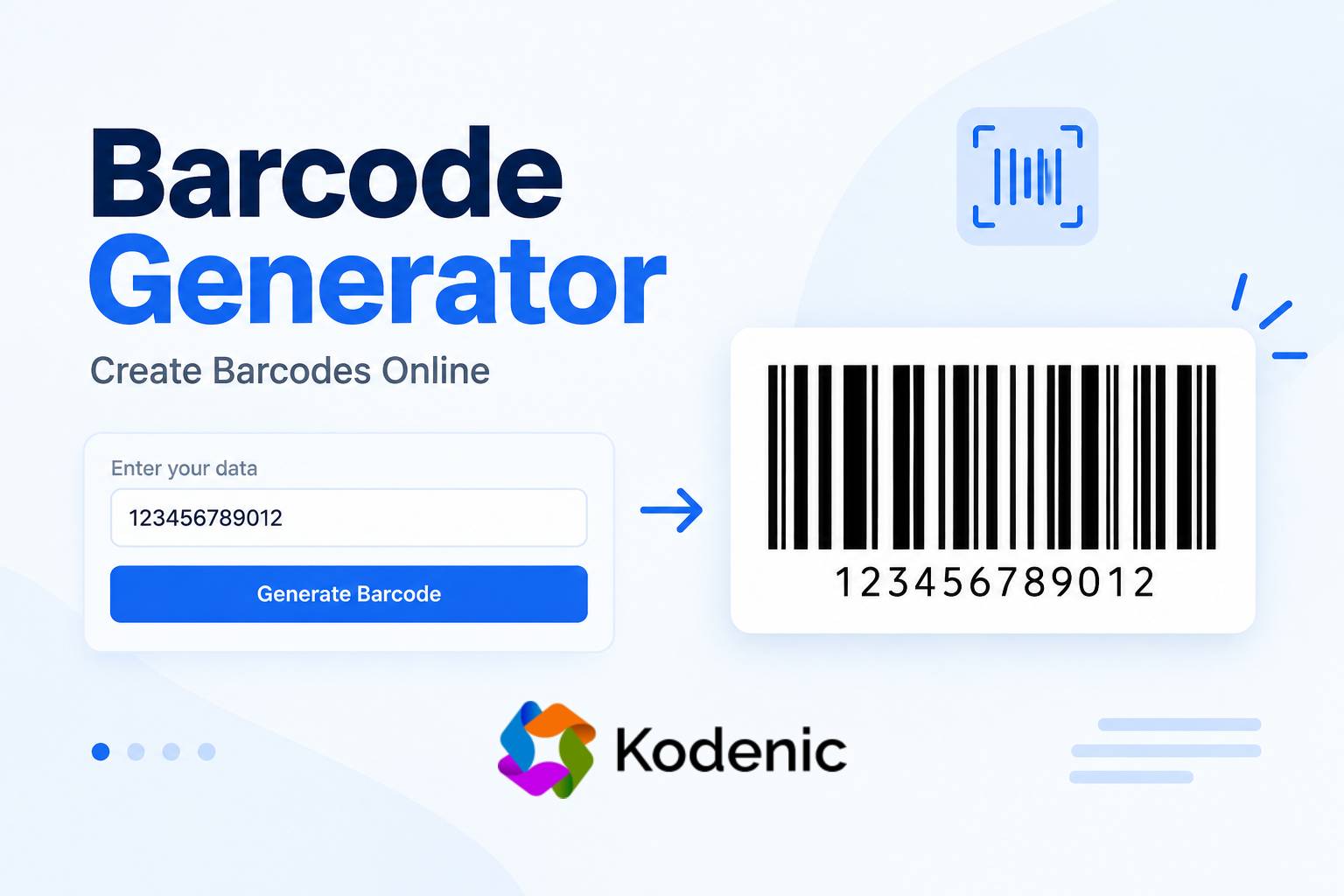
Barcode Generator – Create a Barcode Online
A barcode makes it easier to identify products, track inventory, and manage information. Instead of entering data manually, you can use a barcode that a compatible scanner can read in seconds.
The Kodenic Barcode Generator allows you to enter a number or other supported data and generate a barcode online. You can use it for product labels, inventory, asset tracking, internal identification, and other tasks where machine-readable data is useful.
What Is a Barcode Generator?
A barcode generator is a tool that converts numbers or text into a visual pattern of bars and spaces. A barcode scanner reads this pattern and converts it back into data that a computer or compatible system can process.
For example, if you have an identification number such as 123456789012, you can use a barcode generator to convert it into a barcode image.
However, generating a barcode does not automatically assign an official product number. It only converts the data you provide into a machine-readable format.
How to Use the Kodenic Barcode Generator
You can generate a barcode online in just a few steps.
- Open the Kodenic Barcode Generator.
- Enter your number, text, or other supported data in the Text/Data for Barcode field.
- Click the Generate Barcode button.
- Review the generated barcode.
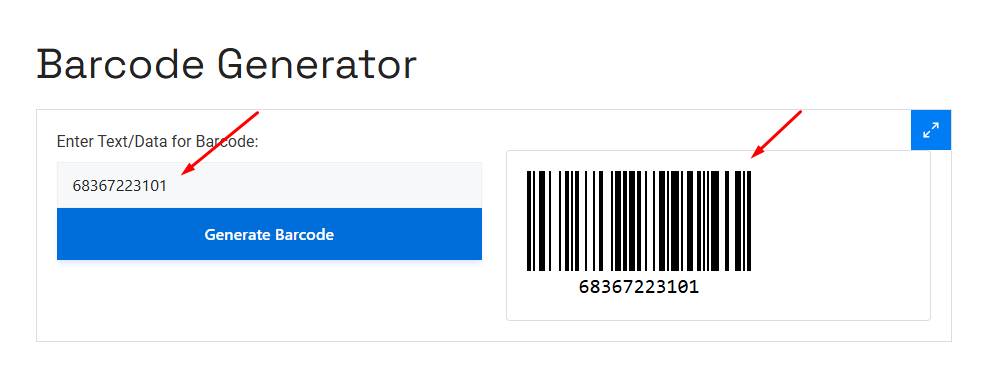
The tool includes a sample value (123456789012) to help you understand how the input works.
Before using the barcode on a product label or in an inventory system, test it with the scanner or software you plan to use. This helps ensure that the barcode is readable and compatible with your system.
What Can You Use a Barcode For?
Barcodes are widely used to identify and track items without manually entering information. They help reduce repetitive work and make it easier to manage large amounts of data.
Some common uses of barcodes include:
- Product labels: Identify products in retail stores and businesses.
- Inventory management: Track stock, quantities, and stored items.
- Warehouse management: Identify goods and organize storage.
- Asset tracking: Keep records of equipment, tools, and other assets.
- Shipping and packaging: Identify packages and support logistics.
- Libraries: Manage books and other materials.
- Documents: Organize files, records, and internal references.
- Tickets: Identify tickets and other printed materials.
The barcode format you choose should match the requirements of the system that will scan it.
Understanding Different Barcode Formats
Not all barcodes work in the same way. Different barcode formats have their own rules for data length, supported characters, and intended uses.
Some common barcode formats include:
- UPC: Commonly used for retail product identification in North America. UPC-A is associated with GTIN-12.
- EAN: Widely used for retail product identification internationally. EAN-13 is associated with GTIN-13.
- Code 128: Supports letters, numbers, and various other characters, making it useful for logistics and internal identification.
- Code 39: Commonly used for inventory, industrial applications, and asset tracking.
- ITF-14: Used in certain product packaging and distribution applications.
Each format serves a different purpose. If you are creating a barcode for a retailer, warehouse, or existing inventory system, check which format it supports before generating your barcode.
Barcode vs. Product Number
A barcode and a product number are not the same thing.
A product number is an identifier used to distinguish a product, while a barcode is a visual representation that allows a scanner to read that identifier.
For example, retail products often use identifiers such as GTIN-12 (UPC) or GTIN-13 (EAN). These identifiers are part of the GS1 identification system.
A barcode generator can convert an existing identifier into a barcode, but it does not automatically register a unique product number or make a randomly generated number an official retail identifier.
If you plan to sell products through retailers or marketplaces, make sure you have the correct product identifier before creating the barcode.
Why Is My Barcode Not Scanning?
A generated barcode may look correct on the screen but still fail when scanned. This can happen for several reasons:
- Incorrect or unsupported data
- An incompatible barcode format
- Incorrect character length
- Poor printing quality
- Very small barcode dimensions
- Low contrast between bars and background
- Distortion during printing
- Insufficient blank space around the barcode
- Damage to the printed label
To avoid these issues, use the correct barcode format, maintain good print quality, and avoid resizing the barcode in a way that distorts its proportions.
If you are printing barcodes for business use, always test a sample with the actual scanner or software before printing large quantities.
What Is a Barcode Check Digit?
Some barcode formats use a check digit to help detect errors in an identification number.
A check digit is calculated using a specific mathematical method based on the other digits in the number. When a barcode is scanned, the receiving system can use it to identify certain data errors.
UPC and EAN product identifiers use check digits as part of their structure.
The calculation depends on the barcode standard. If you are working with an existing product identifier, avoid changing or inventing a check digit without following the relevant standard.
Barcode vs. QR Code
Both barcodes and QR codes store machine-readable information, but they have different structures and uses.
A traditional barcode is generally a one-dimensional pattern of bars and spaces. It is commonly used for product identification, inventory management, and asset tracking.
A QR code is a two-dimensional code that can store different types of information, including website URLs, contact details, and other text.
Choose a barcode or QR code based on the requirements of the scanner or application you plan to use.
Tips for Creating a Usable Barcode
Creating a barcode is simple, but making sure it works correctly is equally important.
- Use the correct identifier: Use an existing product or asset number when working with an established system.
- Choose the right format: Check the barcode requirements of your retailer, warehouse, or inventory software.
- Maintain print quality: Use clear printing with sufficient contrast so scanners can distinguish the bars.
- Avoid distortion: Keep the barcode’s proportions intact when resizing it.
- Test before printing in bulk: Scan a sample barcode to confirm that it works with your equipment.
- Check the encoded data: Make sure the barcode represents the correct number or information.
Following these steps can help prevent scanning errors and reduce problems during daily operations.
Frequently Asked Questions
What is a barcode generator?
A barcode generator is an online tool that converts numbers or supported text into a machine-readable barcode. It is useful for product labels, inventory, asset tracking, and other identification tasks.
How can I use Online Barcode Generator a barcode online?
Open the Kodenic Barcode Generator, enter your data in the input field, and click Generate Barcode. The tool will create a barcode from the information you provide.
Can I create a barcode from any number?
You can generate a barcode from a numeric value if it is supported by the barcode format. Some formats have specific requirements for data length and structure.
Can a barcode contain letters and text?
Yes, some barcode formats, such as Code 128 and Code 39, support letters and numbers. However, other formats have more restrictive character requirements.
Does a free barcode generator provide an official product number?
No. A barcode generator converts existing data into a barcode. It does not automatically assign or register an official product identifier, such as a GTIN.
Why is my generated barcode not scanning?
A barcode may fail to scan because of incorrect data, an unsupported format, poor print quality, low contrast, or incorrect dimensions. Check the barcode requirements and test it with the intended scanner.
Are barcodes and QR codes the same?
No. Traditional barcodes are generally one-dimensional, while QR codes are two-dimensional. They support different applications and should be chosen according to your requirements.
Can I use a generated barcode for retail products?
You can use a barcode for retail products if the underlying identifier and barcode format meet the retailer’s requirements. For official retail product identification, you may need a properly assigned GTIN.
Generate a Barcode With Kodenic
The Kodenic Barcode Generator helps you convert numbers or other supported data into a barcode online. You can use it for internal identification, inventory, labels, and other everyday tasks.
Enter your data, generate the barcode, and test it with your intended scanner before using it. For retail or other regulated identification systems, always make sure the identifier and barcode format meet the relevant requirements.