
ASCII to text
Online ASCII to Text
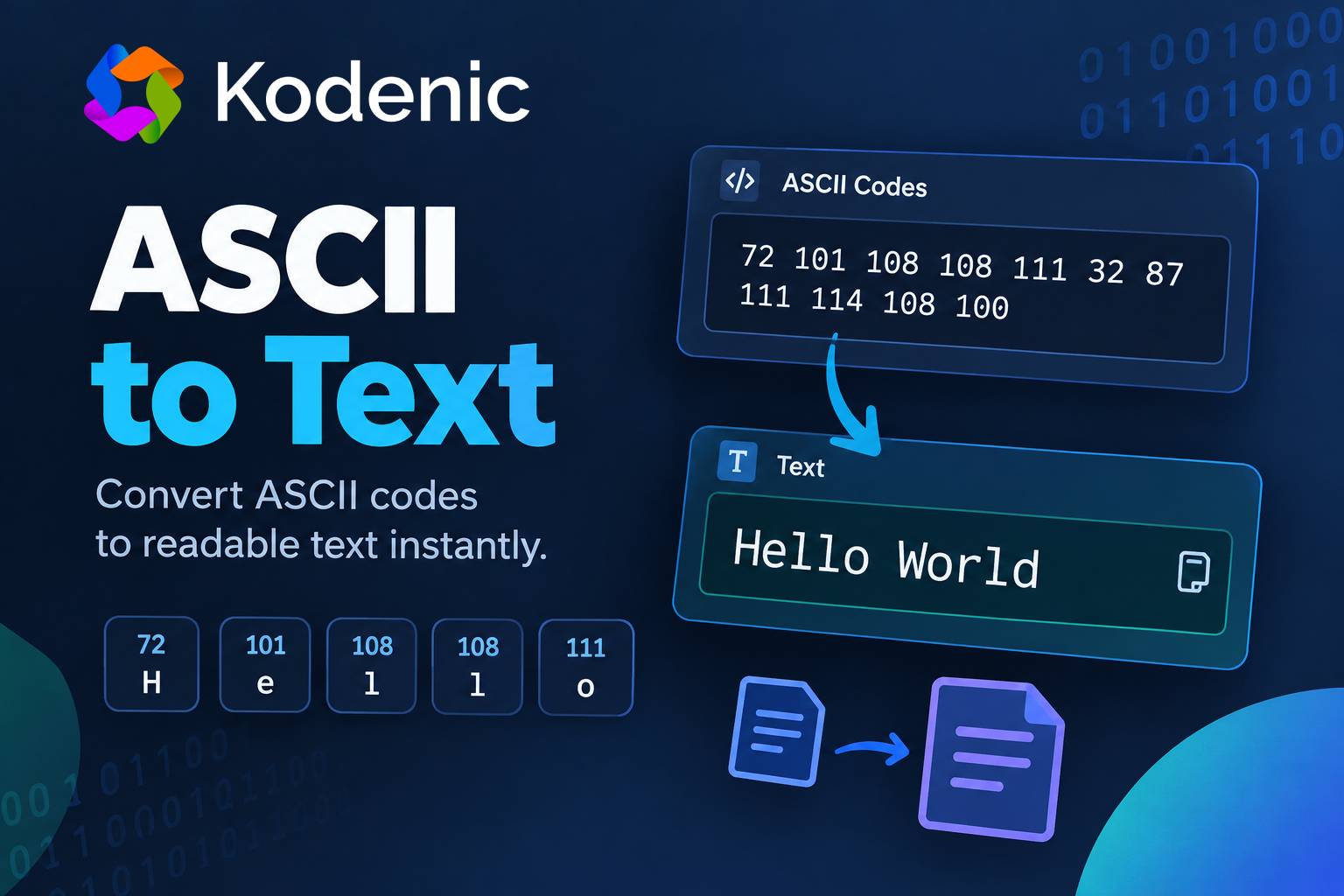
ASCII codes are numbers, but sometimes you need to see the actual text behind those numbers. For example, 72 101 108 108 111 may not mean much at first glance, but these ASCII values represent the word Hello.
The ASCII to Text tool converts ASCII codes into readable text instantly. Instead of checking each number manually from an ASCII table, you can paste your codes into the tool and get the decoded text in seconds.
This can be useful when working with programming data, encoded messages, debugging output, computer science exercises, or any situation where text is represented using ASCII numbers.
How to Use the ASCII to Text Tool
Using the ASCII to Text converter is simple. You only need to provide the ASCII values that you want to decode.
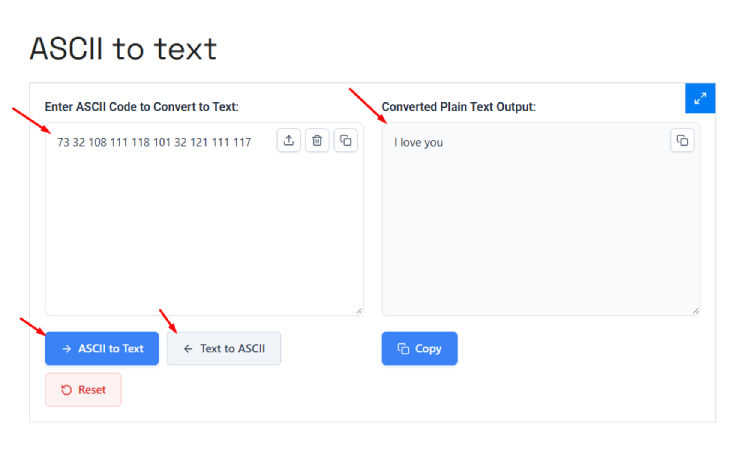
1. Enter your ASCII codes
Paste or type your ASCII codes into the input field.
For example:
72 101 108 108 111
Each number represents one character.
2. Separate the codes properly
Normally, ASCII values are separated by spaces. You can also have ASCII values separated by other common separators depending on the input format supported by the tool.
For example:
72 101 108 108 111
means:
H e l l o
The final result is:
Hello
3. Get the decoded text
Once the ASCII values are entered, the tool converts the numbers into their corresponding characters.
You don’t need to manually search an ASCII table or calculate anything. The conversion is done automatically.
For example:
| ASCII Code | Character |
|---|---|
| 72 | H |
| 101 | e |
| 108 | l |
| 108 | l |
| 111 | o |
So:
72 101 108 108 111
becomes:
Hello
4. Copy the result
After decoding, you can copy the generated text and use it wherever you need it, such as in a code editor, document, message, or another tool.
What Is ASCII?
ASCII stands for American Standard Code for Information Interchange. It is a character encoding standard that represents characters using numbers.
Standard ASCII contains 128 values, from 0 to 127.
For example:
65= A66= B67= C97= a98= b99= c48= 049= 132= Space33= !
This means a computer can represent a simple piece of text using numbers.
For example:
72 105 33
represents:
Hi!
The first 128 Unicode characters are the same as ASCII, which is why ASCII remains important when working with programming, data formats, and computer systems.
Why Convert ASCII to Text?
If you only have a few ASCII values, you can look them up manually in an ASCII table. But this becomes inconvenient when you have dozens or hundreds of numbers.
For example, decoding this manually:
84 104 105 115 32 105 115 32 116 101 120 116
takes time.
With an ASCII to Text converter, you can paste the complete sequence and get the readable result much faster.
The tool is especially useful when the numbers come from software, programming exercises, logs, raw data, or an encoded message.
Uses of an ASCII to Text Converter
Programming and Development
Developers sometimes work with character codes instead of normal text. An ASCII decoder can quickly turn those values back into readable characters.
It can also help when checking whether a particular numeric value represents the character you expect.
For example:
65 66 67
decodes to:
ABC
This is a simple way to verify character values while working with code.
Debugging
During debugging, programs and systems may display character data as numeric values.
Instead of checking each value manually, you can paste the sequence into an ASCII decoder and quickly see what text it represents.
This can be useful when investigating strings, raw output, or data-processing problems.
Learning ASCII
Students learning programming or computer science often come across ASCII tables.
The converter makes it easier to understand the relationship between numbers and characters.
For example:
65 = A
97 = a
This also makes it easier to understand that uppercase and lowercase letters have different ASCII values.
Decoding Messages and Puzzles
ASCII numbers are sometimes used to hide simple messages in puzzles, coding challenges, and CTF exercises.
For example:
72 97 99 107
decodes to:
Hack
Instead of manually looking up every number, you can use the converter to decode the complete message.
Checking Data
If you receive a list of numeric character values and aren’t sure what they represent, converting them to text can help you understand the data quickly.
This is particularly useful when dealing with copied data from programming tools, logs, or other technical sources.
ASCII to Text Example
Let’s take a simple sentence:
72 101 108 108 111 32 87 111 114 108 100
Breaking it down:
- 72 = H
- 101 = e
- 108 = l
- 108 = l
- 111 = o
- 32 = Space
- 87 = W
- 111 = o
- 114 = r
- 108 = l
- 100 = d
The final text is:
Hello World
Notice that 32 represents a space. Without that value, the words would appear together.
ASCII vs Unicode
One important thing to remember is that ASCII and Unicode are not the same thing.
Standard ASCII only covers values from 0 to 127. It was designed mainly for English letters, numbers, punctuation, and control characters.
Modern websites and applications usually use Unicode, commonly through UTF-8, because Unicode supports characters from many languages and writing systems.
So if you have data containing Bengali, Arabic, Chinese, emoji, or other non-ASCII characters, an ASCII converter may not be the correct tool for decoding it.
For example, the English letter A is ASCII, but a Bengali character is not part of the original ASCII character set.
If your data is actually encoded as UTF-8 bytes, you should use a UTF-8 decoder rather than treating every number as a standard ASCII value.
Frequently Asked Questions
What does ASCII to Text mean?
ASCII to Text means converting numeric ASCII character codes back into readable characters.
For example, 65 66 67 becomes ABC.
What is the ASCII code for A?
The ASCII code for uppercase A is 65.
The lowercase a is 97.
What is the ASCII code for a space?
The ASCII code for a normal space character is 32.
For example:
72 105 32 116 104 101 114 101
decodes to:
Hi there
What is the ASCII range?
Standard ASCII uses values from 0 to 127. Values 0–31 and 127 are control characters, while most of the commonly visible characters are in the 32–126 range.
Can I decode a long list of ASCII numbers?
Yes. An ASCII to Text converter is particularly useful when you have a long sequence of codes because you don’t need to look up every number manually.
Just paste the codes into the tool and check the decoded result.
Why does my ASCII code not produce a visible character?
Not every ASCII value represents a visible character. Some values are control characters such as tab, line feed, and carriage return.
For example, ASCII 10 represents a line feed, so it may create a new line rather than showing a visible symbol.
Is ASCII the same as binary?
No.
ASCII is a character encoding system, while binary is a number system using only 0 and 1.
The same character can be represented in different ways. For example, uppercase A has ASCII decimal value 65, while its binary representation is 01000001.
When should I use an ASCII to Text converter?
Use it whenever you have ASCII character codes and want to quickly turn them into normal readable text.
It is useful for programming, debugging, learning, puzzles, CTF challenges, checking data, and other technical tasks where characters are represented as numbers.